Environments
Railway supports complex development workflows through environments, giving you isolated instances of all services in a project.
How it works
All projects in Railway are created with a production environment by default. Once a project has been created, new environments can be created and configured to complement any development workflow.
All changes made to a service are scoped to a single environment. This means that you can make changes to a service in an environment without affecting other environments.
Types of environments
Persistent environments
Persistent environments are intended to persist but remain isolated from production with regard to their configuration.
For example, it is a common pattern to maintain a staging environment that is configured to auto-deploy from a staging branch and with variables relevant to staging.
PR environments
PR Environments are temporary. They are created when a Pull Request is opened on a branch and are deleted as soon as the PR is merged or closed.
Use cases
Environments are generally used for isolating changes from the production environment, to iterate and test before pushing to production.
- Have development environments for each team member that are identical to the production environment
- Have separate staging and production environments that auto-deploy when changes are made to different branches in a code repository.
Create an environment
-
Select
+ New Environmentfrom the environment drop down in the top navigation. You can also go to Settings > Environments. -
Choose which type of environment to create -
-
Duplicate Environment creates a copy of the selected environment, including services, variables, and configuration.
When the duplicate environment is created, all services and their configuration will be staged for deployment. You must review and approve the staged changes before the services deploy.
-
Empty Environment creates an empty environment with no services.
-
Sync environments
You can easily sync environments to import one or more services from one environment into another environment.
- Ensure your current environment is the one that should receive the synced service(s)
- Click
Syncat the top of the canvas - Select the environment from which to sync changes
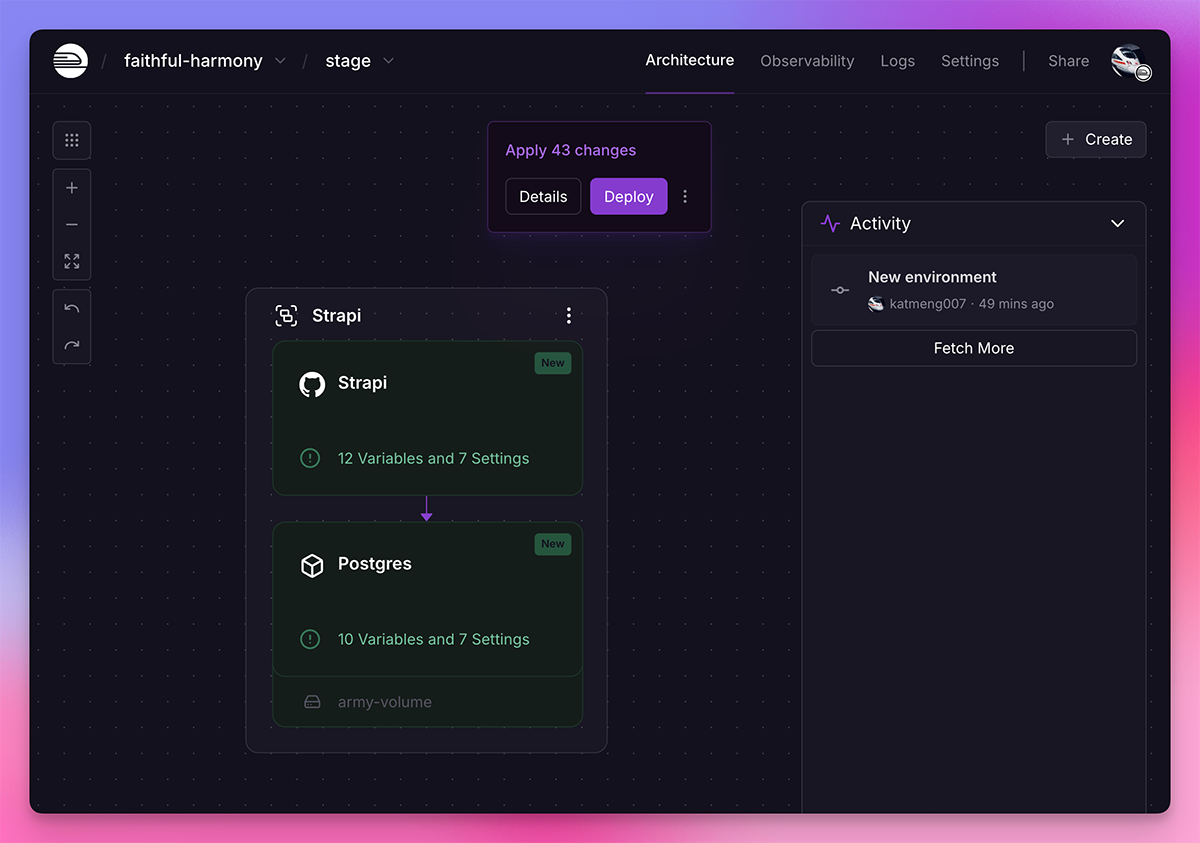
- Upon sync, each service card that has received a change will be tagged "New", "Edited", "Removed"
- Review the staged changes by clicking Details on the staged changes banner
- Click "Deploy" once you are ready to apply the changes and re-deploy
PR environments
Railway can spin up a temporary environment whenever you open a Pull Request. To enable PR environments, go to your Project Settings -> Environments tab.

When enabled, a temporary environment is spun up to support the Pull Request deploy. These environments are deleted as soon as these PRs are merged or closed.
How come my GitHub PR won't deploy?
Railway will not deploy a PR branch from a user who is not in your workspace or invited to your project without their associated GitHub account.
Domains in PR environments
To enable automatic domain provisioning in PR environments, ensure that services in your base environment use Railway-provided domains. Services in PR environments will only receive domains automatically when their corresponding base environment services have Railway-provided domains.
Focused PR environments
For monorepos and multi-service projects, Focused PR Environments only deploy services affected by files changed in the pull request. This speeds up PR environments and reduces resource usage.
How it works
When a PR is opened, Railway determines which services to deploy:
- Services connected to the PR repo that are affected by changed files (based on watch paths or root directory)
- Dependencies of affected services (via variable references like
${{service.URL}})
All other services are skipped and indicated on the canvas. The GitHub PR comment shows which services were skipped.
Deploying skipped services
Skipped services can be deployed manually from the canvas. Click on the skipped service and select "Deploy" to add it to the PR environment.
Enabling focused PR environments
- Go to Project Settings → Environments
- Ensure PR Environments are enabled
- Toggle Enable Focused PR Environments
Bot PR environments
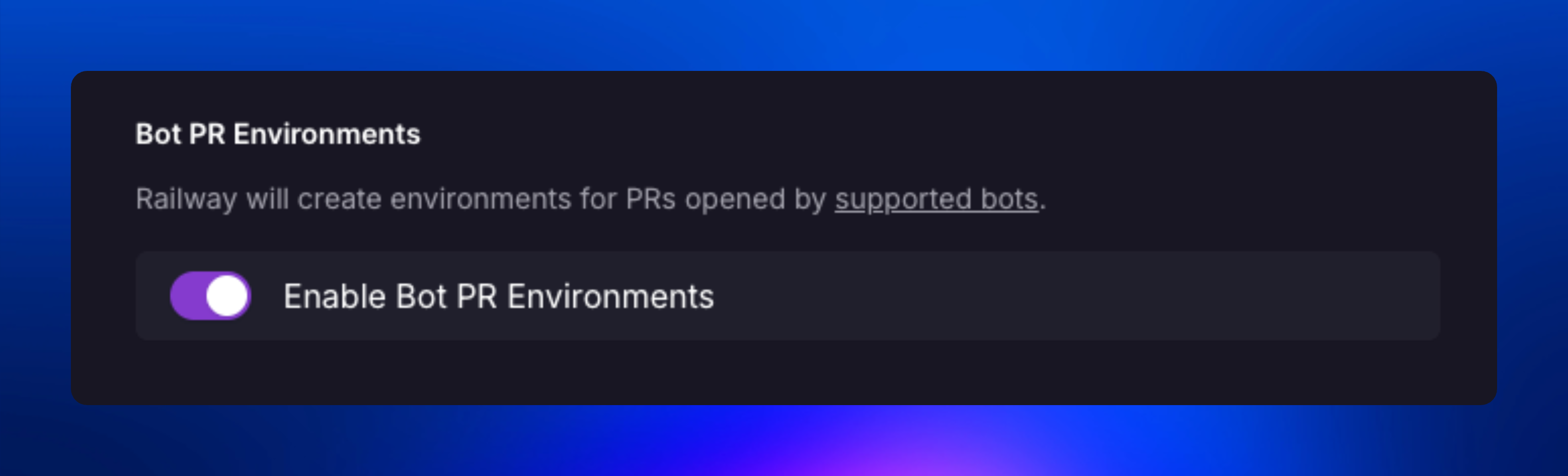
You can enable automatic PR environment creation for PRs opened by supported GitHub bots using the Enable Bot PR Environments toggle on the Environments tab in the Project Settings page.
Supported bots:
- Dependabot
- Renovate
- Devin AI
- GitHub Actions
- GitHub Copilot
- Jules (Google)
- Roo Code
- Claude Code (Anthropic)
Environment RBAC
Environment RBAC is available on Railway Enterprise.
Restrict access to sensitive environments like production. Non-admin members can see these environments exist but cannot access their resources (variables, logs, metrics, services, and configurations). They can still trigger deployments via git push.
| Role | Can access | Can toggle |
|---|---|---|
| Admin | ✔️ | ✔️ |
| Member | ❌ | ❌ |
| Deployer | ❌ | ❌ |
For detailed setup instructions and best practices, see the Environment RBAC guide.
Forked environments (deprecated)
As of January 2024, forked environments have been deprecated in favor of Isolated Environments with the ability to Sync.
Any environments forked prior to this change will remain, however, you must adopt the Sync Environments flow, in order to merge changes into your base environment.
Troubleshooting
Having issues with environments? Check out the Troubleshooting guide or reach out on Central Station.