Public API
The Railway public API is built with GraphQL and is the same API that powers the Railway dashboard.
Use the Public API to integrate Railway into your CI/CD pipelines and other workflows.
Understanding GraphQL
New to GraphQL? Start with the Introduction to GraphQL guide, which explains the core concepts using Railway's API.
For deeper learning, these external resources are helpful:
- Official Introduction to GraphQL
- GraphQL Basics course by Hasura
- GraphQL is the better REST
Connecting to the public API
To connect to and query the Public API, you will need the endpoint URL and a token for authentication.
Endpoint
The public API is accessible at the following endpoint:
Creating a token
To use the API, you will need an API token. There are three types of tokens you can create.
Team tokens and account tokens
You can create an API token from the tokens page in your account settings.
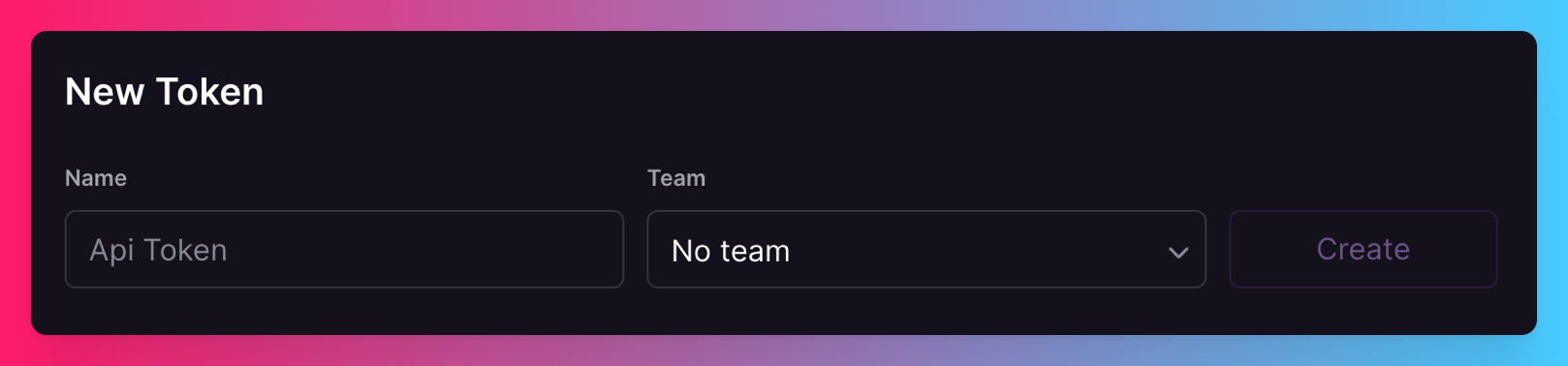
- Team token - Select a team in the
Teamdropdown to create a token tied to a team. A team token has access to all the team's resources, and cannot be used to access your personal resources on Railway. Feel free to share this token with your teammates. - Account token - If you do not select a team, the token will be tied to your Railway account and will have access to all your resources including the teams you are a part of. Do not share this token with anyone else.
Note that Teams are a Pro feature.
Project token
You can create a project token from the tokens page in your project settings.
Project tokens are scoped to a specific environment within a project and can only be used to authenticate requests to that environment.
OAuth access token
If you're building an application that acts on behalf of users, you can use Login with Railway to obtain an access token through the OAuth flow. The token's permissions depend on the scopes the user approved.
Execute a test query
Once you have your token, you can pass it within the Authorization header of your request.
Using an account token
You can try the query below in the terminal of your choice. It should return your name and email on Railway:
Note: This query cannot be used with a team or project token because the data returned is scoped to your personal account.
Using a team token
If you have a team token, you can use it to authenticate requests to a specific team. The query below should return the team name and ID:
Note: This query can also be used with an account token as long as you are a member of the team.
Using a project token
If you have a project token, you can use it to authenticate requests to a specific environment within a project. The query below should return the project and environment IDs:
Viewing the schema
The Railway API supports introspection meaning you can use popular tools like Postman or Insomnia to connect to the API and query the schema. Simply set up your connection with the endpoint and Authorization token, and fetch the schema.
API collection file
We also provide a collection file which can be imported into your preferred API client. Click here to download it.
Once imported, you should only need to add your API token to get connected and start executing queries in the collection.
GraphiQL playground
Alternatively, you can use the GraphiQL playground to view the schema and test your queries.
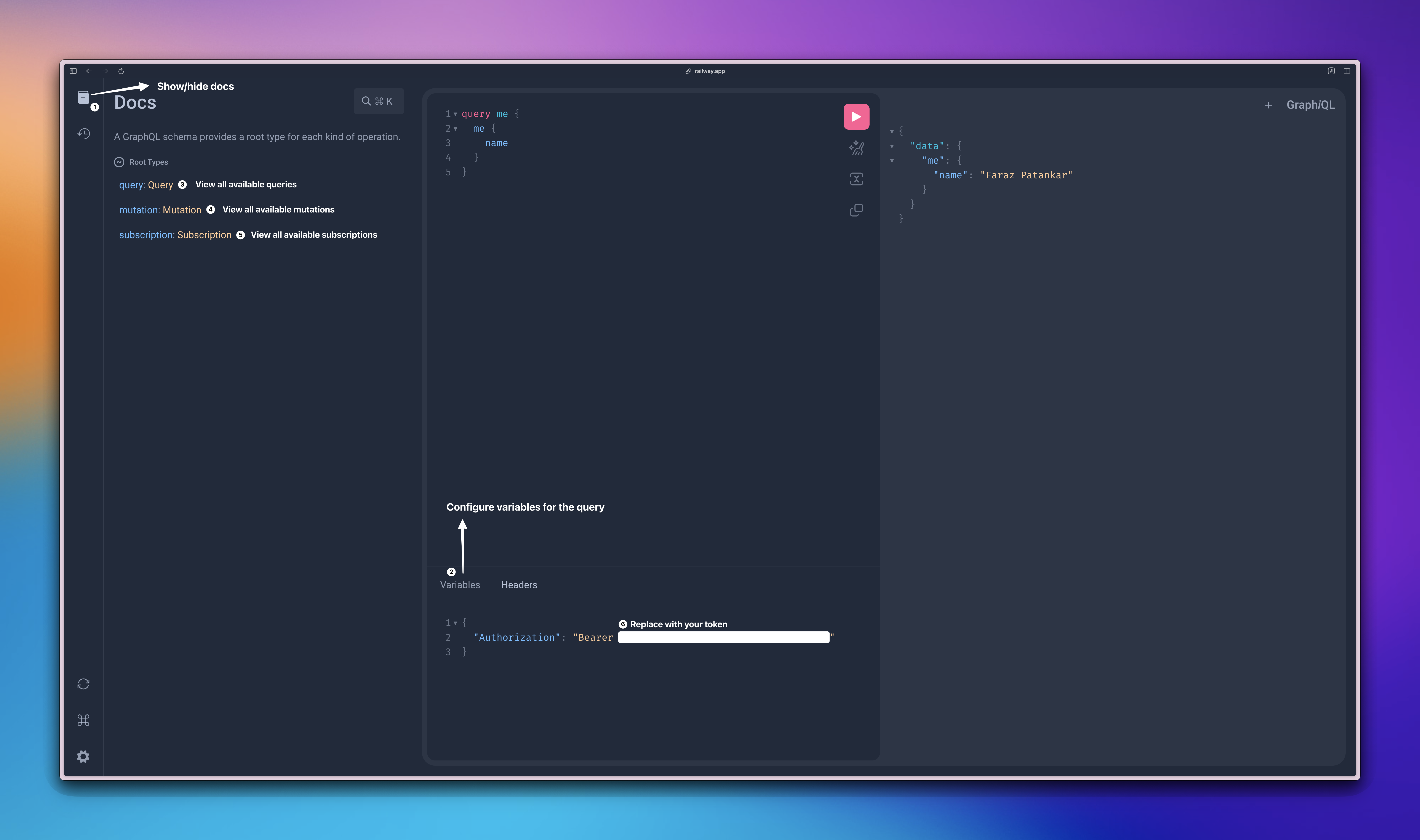
Make sure to set an Authorization header with an auth token. Click the "Headers" tab at the bottom of the GraphiQL page and enter this json, using your own token:
Rate limits
In order to protect the Railway API from spam and misuse, we have established some basic rate limits. The current limits to the API are:
- Requests per hour: 100 RPH for Free customers, 1000 RPH for Hobby customers, 10000 RPH for Pro customers; custom for Enterprise.
- Requests per second: 10 RPS for Hobby customers; 50 RPS for Pro customers; custom for Enterprise.
To help you keep track of your usage, Railway sends a few headers with the response on each request.
| Header | Description |
|---|---|
| X-RateLimit-Limit | The maximum number of API requests allowed per day. |
| X-RateLimit-Remaining | The number of API requests your token can make in the current window. |
| X-RateLimit-Reset | The time at which the current window ends and your remaining requests reset. |
| Retry-After | The amount of time after which you can make another request. This header is only sent once you've used up all your requests in the current window. |
Tips and tricks
Resource IDs
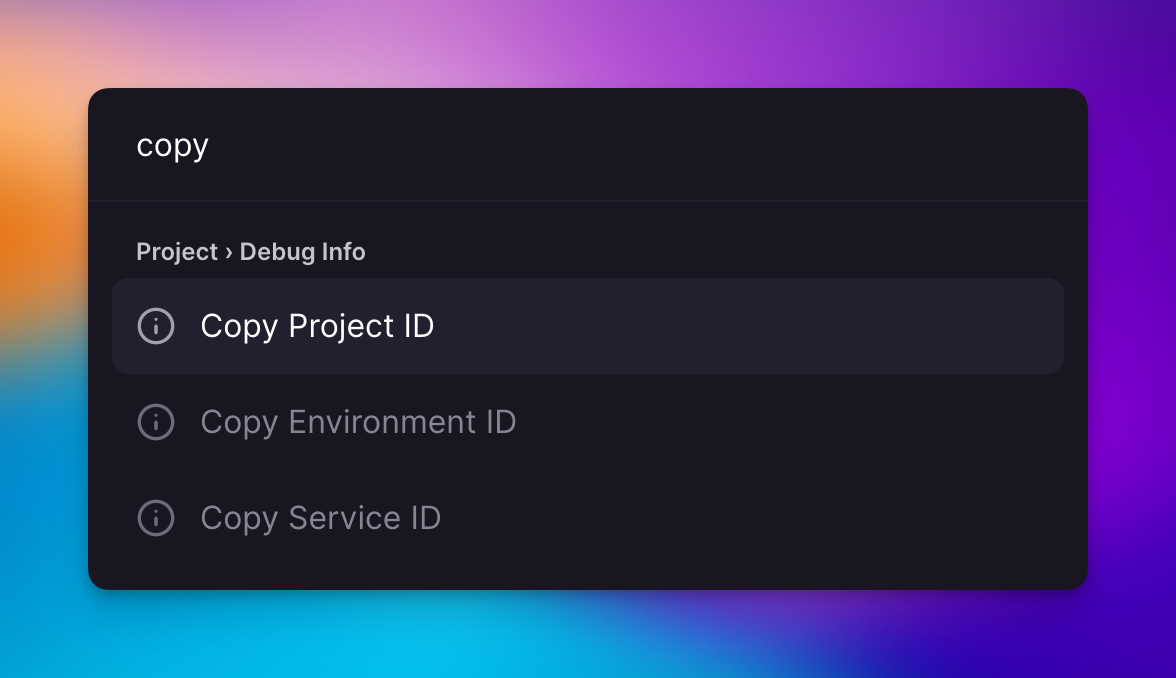
While building your queries, if you quickly need to copy resource IDs, you can hit Cmd/Ctrl + K within your project and copy the project/service/environment ID.
The network tab
If you're unsure about what query/mutation to use for what you are trying to achieve, you can always do the action in the dashboard and look for the request in the network tab. As we use the same API internally, you can simply grab the name and then look for specific query in the introspected schema.
External resources
- The awesome-graphql repository is a great resource for all things GraphQL with implementations available across a variety of languages.
- The GraphQL Discord is the official Discord channel for graphql.org with a lot of active members and specific help channels.
Examples
To help you get started, we have provided example queries and mutations organized by resource type:
- API Cookbook - Quick reference for common operations
- Manage Projects - Create, update, delete projects
- Manage Services - Create services, configure settings
- Manage Deployments - Deploy, rollback, view logs
- Manage Variables - Set and manage environment variables
- Manage Environments - Create and configure environments
- Manage Domains - Add custom domains, configure DNS
- Manage Volumes - Create volumes, manage backups
Support
If you run into problems using the API or have any suggestions, feel free to join the Railway Discord server where you can interact with the engineers working on the API directly.