Login with Railway
Login with Railway allows third-party applications to authenticate users with their Railway account. Built on OAuth 2.0 and OpenID Connect (OIDC), it provides a secure, standardized way for users to grant your application access to their Railway resources without sharing their password.
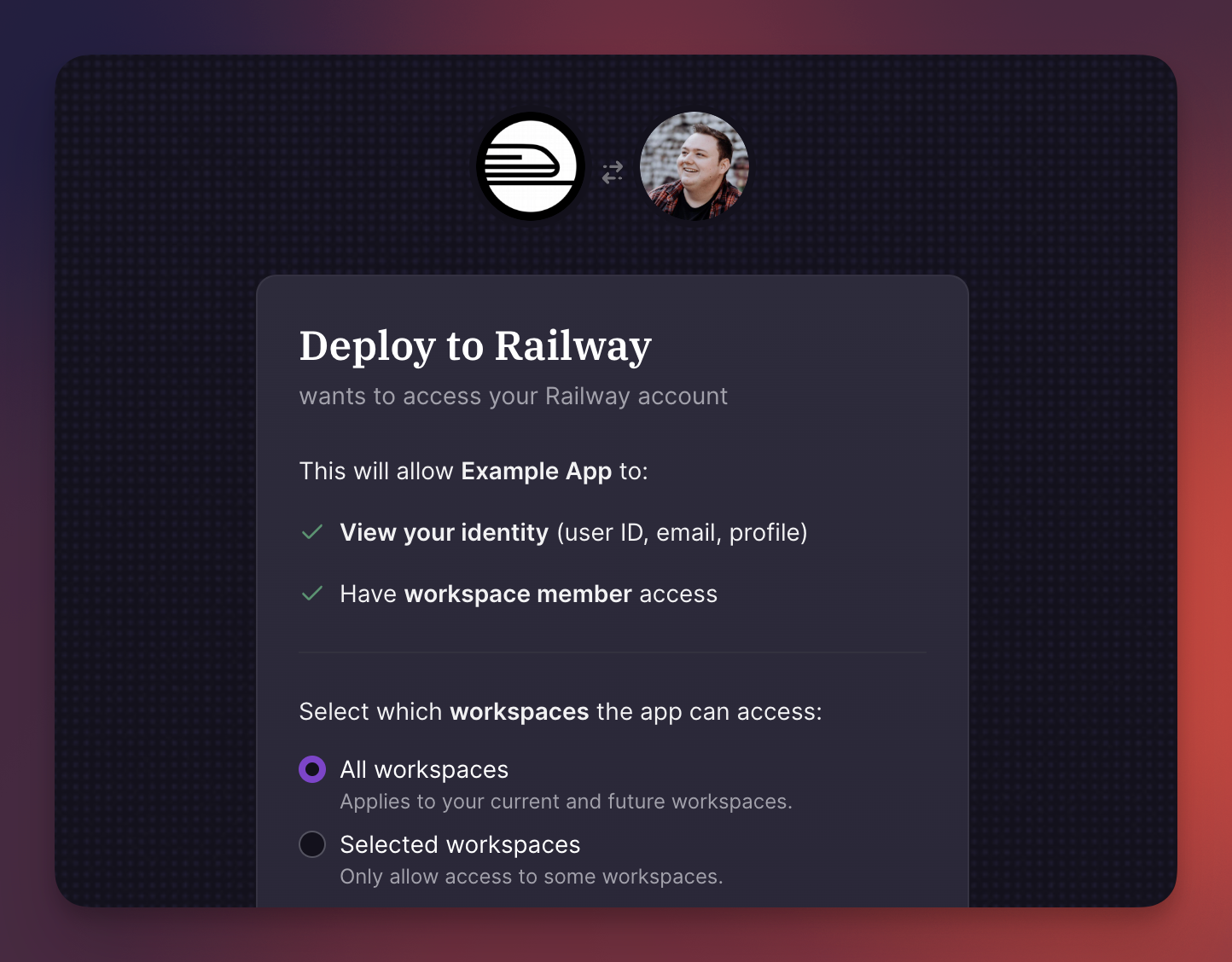
When a user authenticates through your app, they see a consent screen showing exactly what permissions you're requesting. They can approve or deny access, and for workspace or project scopes, they choose specifically which resources to share. This gives users control over their data while allowing your application to interact with Railway on their behalf.
Use cases
- CLIs: Build command-line tools that manage Railway infrastructure on behalf of users
- Deployment frameworks: Integrate one-click deploy-to-Railway functionality into your framework or starter kit
- Dashboards and monitoring: Display project metrics, deployment history, or resource usage by authenticating users and querying their workspaces
- Developer platforms: Let users sign in with their Railway account instead of creating new credentials
OIDC configuration
The OpenID Connect configuration is published at a standard well-known endpoint:
This discovery document contains all the metadata your application needs to implement authentication: the authorization and token endpoints, supported scopes and response types, the JWKS URI for validating ID tokens, and other protocol details. OAuth libraries typically consume this endpoint automatically during setup.
Getting started
To implement Login with Railway, start by creating an OAuth app in your workspace's Developer settings. This gives you the client credentials needed to initiate the OAuth flow.
The Quickstart guide walks through a complete implementation, from redirecting users to the authorization endpoint through exchanging codes for tokens and making API requests.
Before building, review Scopes & User Consent to understand what permissions are available and how the consent flow works. Requesting only the scopes you actually need improves user trust and simplifies the consent experience.
API access
Once a user has authenticated, your application receives an access token that works with Railway's GraphQL API. The token carries the permissions the user granted, so API requests succeed or fail based on what the user approved and their role within the workspaces or projects they selected.
Access tokens expire after one hour. For longer-lived access, request the offline_access scope to receive a refresh token that can obtain new access tokens without requiring the user to re-authenticate.